← All 13 modules
03 · Oversite module
COSHH register
Scan the barcode or photograph the label to start the assessment. You check it, add how it is used on your site and approve it.
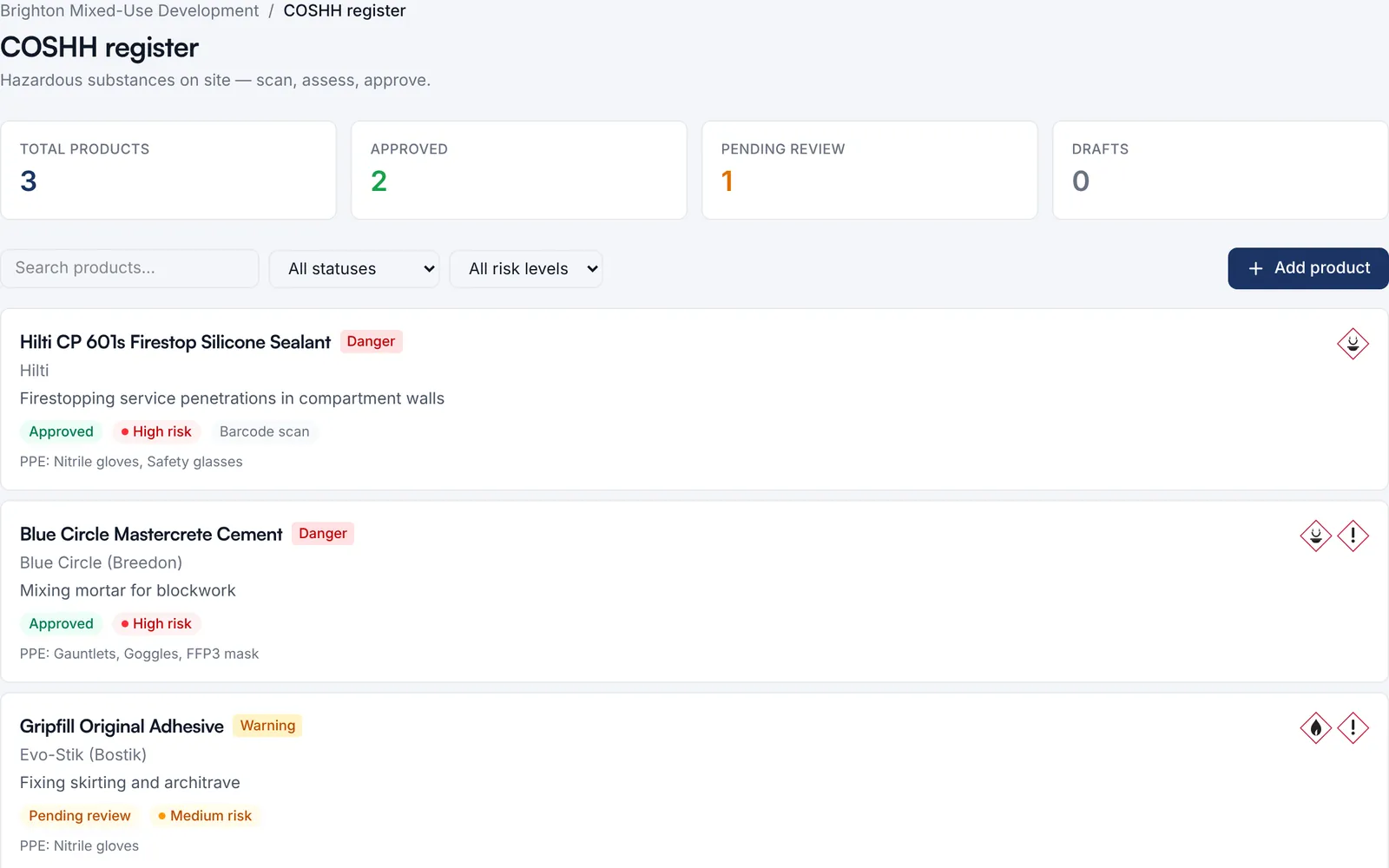
Every hazardous product on site, with its hazard pictograms, risk level, PPE and approval status.
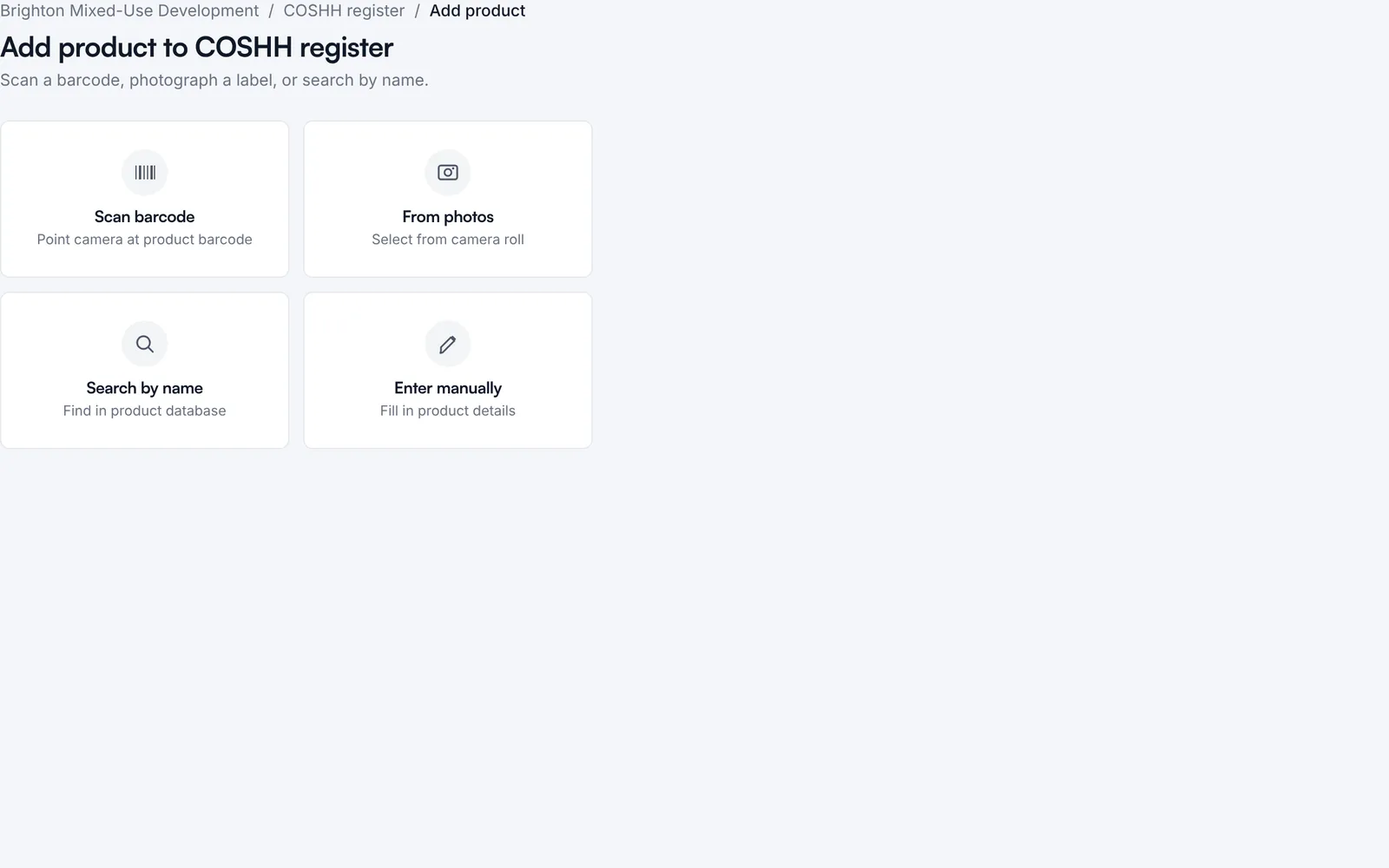
Four ways in: scan the barcode, use photos of the label, search the product database or type it in.
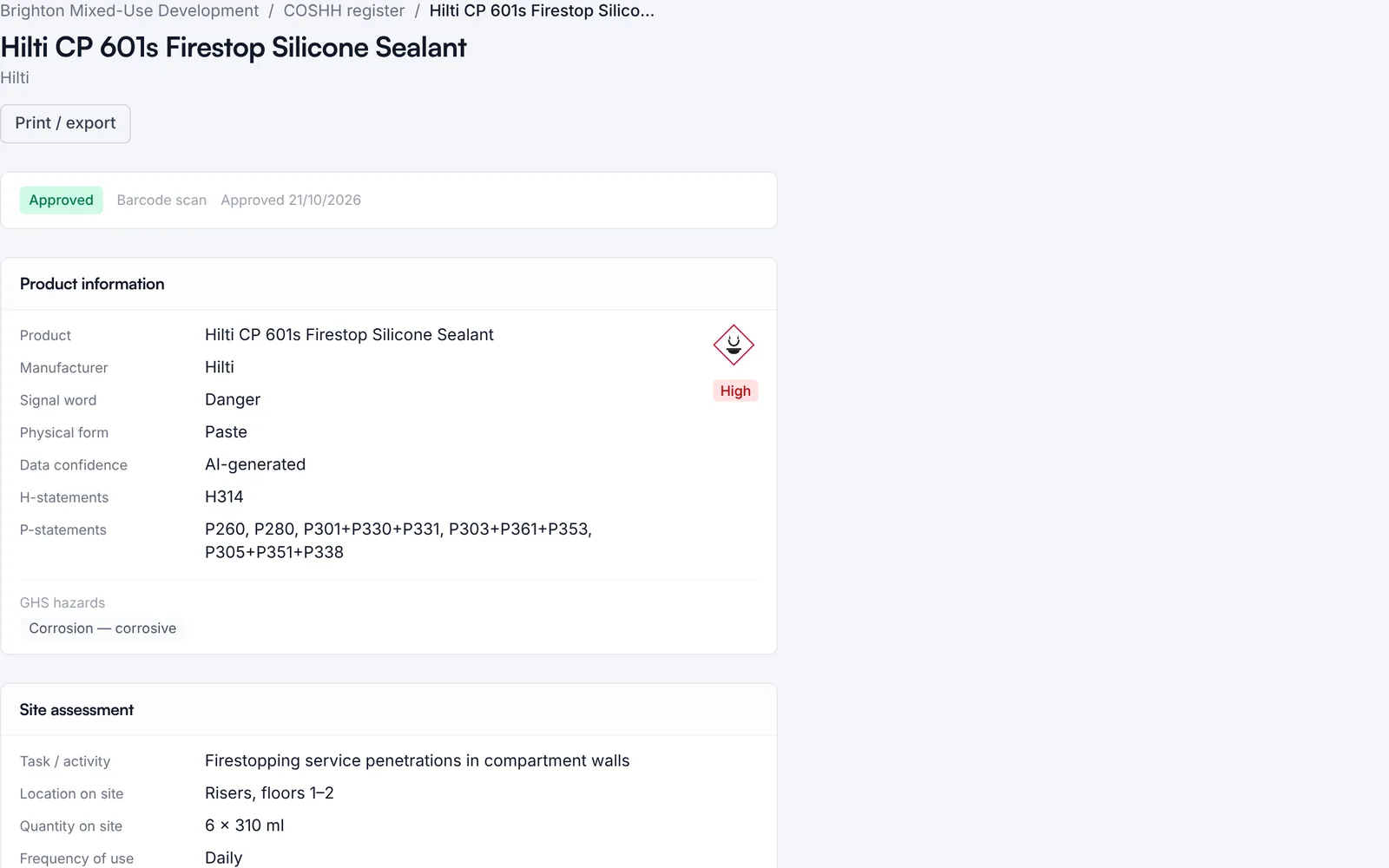
Hazard and precautionary statements, marked with where the data came from, then your site assessment: task, location, quantity and exposure.
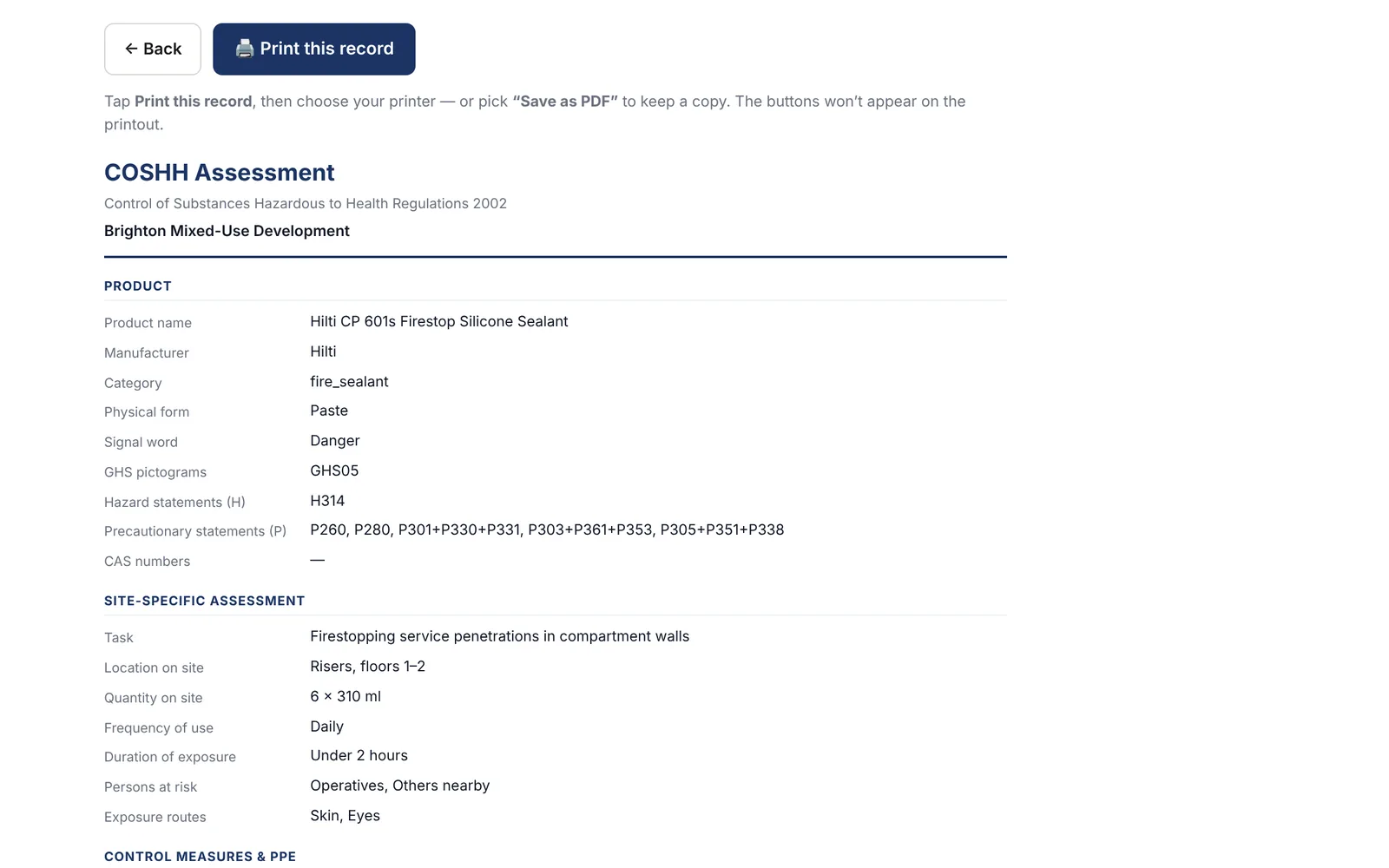
Print the assessment, or save it as a PDF, for the site file.
Watch it work · no sound
COSHH register in 4 steps
- Every hazardous product on site, with its risk
- Add one: scan the barcode or photograph the label
- Hazard statements, and how sure the data is
- Assess it for your site, then approve and print